For six years, Google users have lived with one of the most baffling design decisions in modern tech: a set of app icons so similar that opening Calendar when you meant to tap Gmail became a near-daily occurrence. That era appears to be ending.
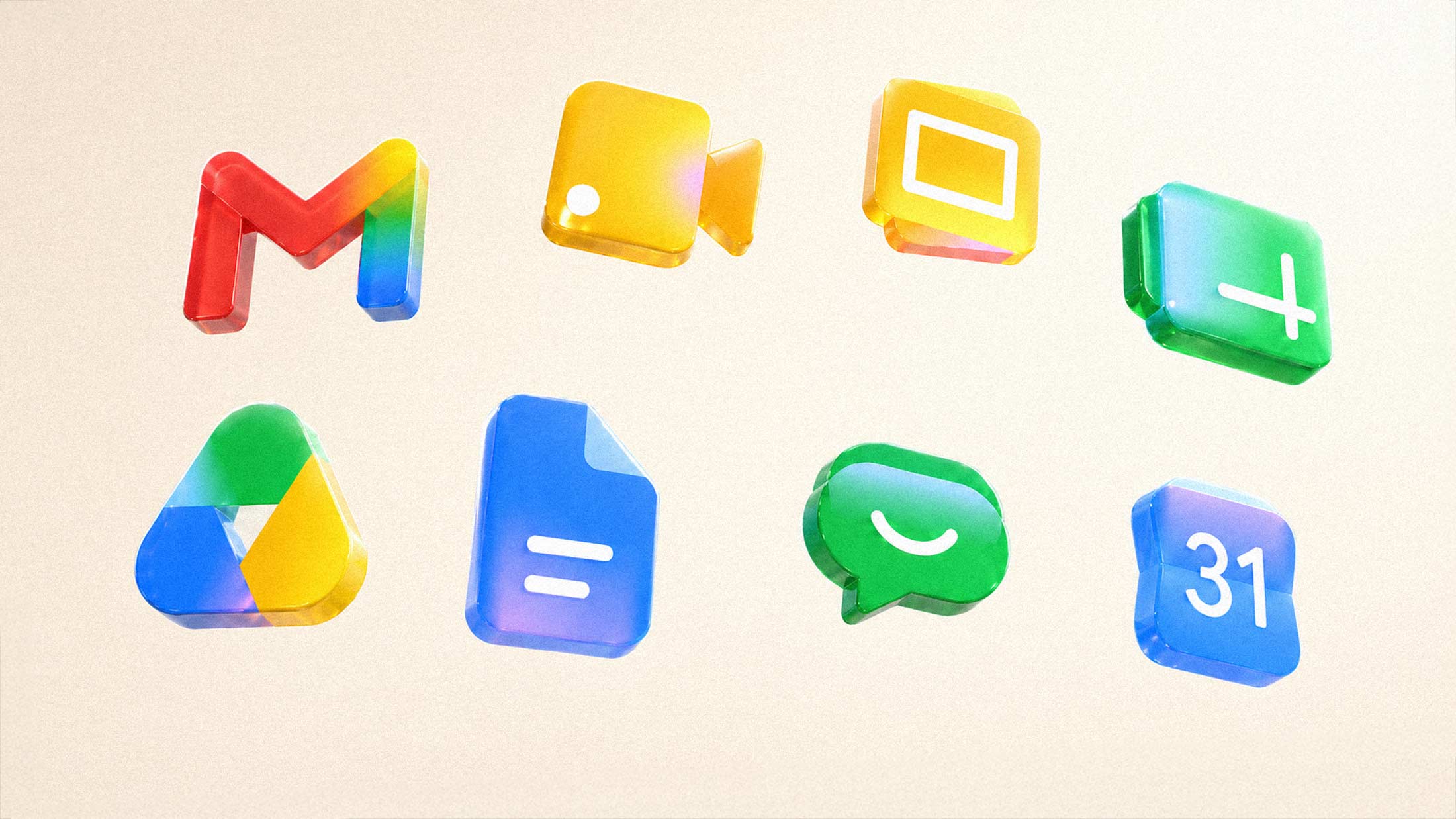
According to 9to5Google, Google is rolling out a comprehensive visual redesign across its Workspace apps, abandoning the previous requirement that every icon include all four of Google's brand colors. The change brings gradient effects to Gmail, Calendar, Drive, Meet, Chat, and other core applications, with each app now featuring a dominant color that makes it instantly distinguishable.
What Actually Changed
Gmail's new icon keeps the M-shaped envelope but shifts red to the primary color, with only traces of yellow, green, and blue. Calendar returns to a classic blue design, dropping the four-color border entirely. Meet goes predominantly yellow. Chat gets a green pill-shaped bubble with what Google apparently considers a friendly expression.
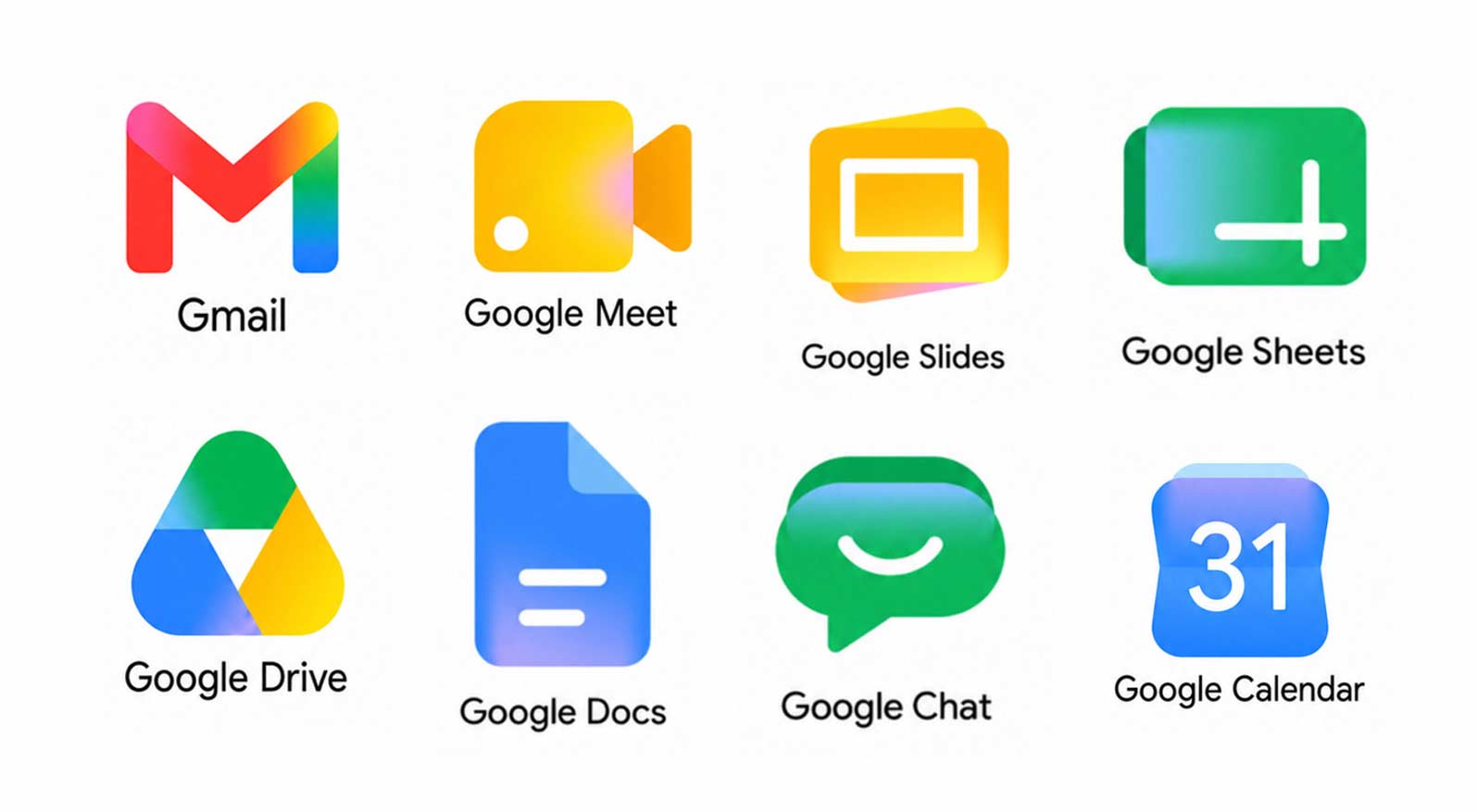
Drive loses its red entirely, retaining only green, yellow, and blue. The page container motifs that made so many icons look like hollow rectangles have been removed in most cases, allowing for larger, more distinctive shapes.
Why the Old Icons Failed
When Google updated its Workspace icons in 2020, the backlash was immediate and sustained. The company had forced all four brand colors into every icon, creating a family resemblance so strong that individual apps became nearly indistinguishable at typical screen sizes.
As TechCrunch put it at the time: "They all have all the colors, which just right off the bat makes it harder to tell them apart at a glance." The icons were rectangular, hollow, and featured colors in inconsistent orders. Users found themselves squinting at favicon-sized icons, trying to determine whether they were looking at Gmail, Drive, or Calendar.
The criticism never stopped. Two years later, Creative Bloq was still covering viral memes about the designs, with the caption "When designers prioritise aesthetics over usability." Chrome extensions emerged specifically to restore the old icons. Google, for whatever reason, sat on its hands.
The Gradient Logic
The new design language borrows heavily from Gemini's visual identity. Google began introducing gradient effects to its main G logo in May 2025, marking the company's first significant logo change in a decade. That update replaced hard color boundaries with smooth transitions, creating what designers described as a softer, more fluid appearance.
The Workspace refresh extends this approach while finally addressing the usability complaints. By allowing apps to claim primary colors, Gmail can be red again. Calendar can be blue. Meet gets yellow. The gradient effect still signals that these products belong to Google's ecosystem, but the individual identities are restored.
There's also an AI angle here, though it's secondary. Google has described the gradient aesthetic as reflecting the presence of AI-powered features across its products. The look first appeared in Gemini-related branding and has since cascaded through Photos, Home, Maps, and now Workspace.
What This Means for Users
If you've spent years accidentally opening the wrong app, or trained yourself to slow down when navigating your app drawer, the new icons should provide immediate relief. Color distinction matters more than shape distinction for rapid visual scanning, and Google has finally acknowledged this basic principle of interface design.
The rollout will happen progressively across Android and iOS. Google tends to push visual updates quietly, without press events or announcements, letting users acclimate to changes that have already settled into the background.
Whether Google will acknowledge that the 2020 icons were a mistake remains to be seen. Companies rarely admit to design failures. But the shift in direction is unmistakable: Google is retreating from the uniformity experiment and returning to the principle that app icons should be immediately recognizable as themselves, not just as members of a corporate family.